

Update: Changes to the Story Art Digital Store
After much consideration, the Story Art Digital Store has been officially retired.
Recent updates to Adobe Photoshop and creative software have introduced significant compatibility issues with older assets, plugins, and actions. Rather than offering products that no longer meet the seamless technical standards you expect, I’ve decided to phase out the store.
Need a specific asset or plugin? If you are looking for a particular file, brush set, overlay, or plugin that you previously purchased or still need for your workflow, please don’t hesitate to reach out. I’m happy to assist you directly and help you retrieve or adapt what you need where possible.
Thank you so much for your continued support and for being a valued part of the Story Art community.
A Note for Grandfathered Digital Store Members: You retain full access to all your included downloads! However, please keep in mind that due to recent Adobe software updates, I am no longer able to provide technical support for these legacy files (particularly the Photoshop plugins).
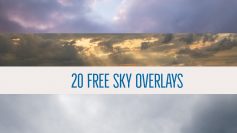
Free Sky Overlay Collection
This assortment of 20 sky overlays are completely free for royalty free use Moody, Soft, Sunsets, Textures. Use these skies for replacing boring blown out white skies in your imagery. Free…
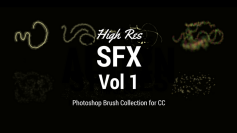
SFX Vol 1 Brush Set
A collection of SFX brushes that will make your images magical Compatible with PHOTOSHOP CC versions www. artymate.com This brush pack works with Artymate’s new ‘add new’ feature. Create your new…
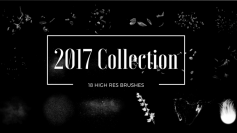
Story Art Brush Collection 2017
A collection of 18 high resolution brushes. This will become the most useful collection of brushes in your library. Compatible with PHOTOSHOP CC versions The pack includes: A brand new…
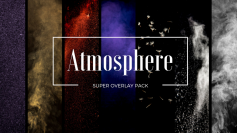
Atmosphere Super Pack
The Atmosphere Super Overlay Pack will give you the ability to add incredible atmosphere in Photoshop to your composites and contains 101 Photoshop overlays The Super Pack includes: Misticles White Smoke Coloured…
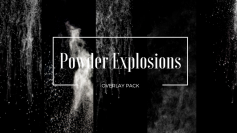
Powder Explosions
The Powder Explosions overlay pack will give you the ability to add atmosphere to your composites To use, place in your composite. Change the blending mode to ‘Screen’. This will drop out…
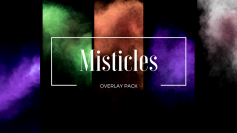
Misticles
The Misticles overlay pack will give you the ability to add atmosphere to your composites To use, place in your composite. Change the blending mode to ‘Screen’. This will drop out…
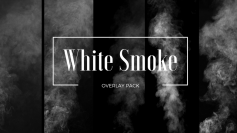
White Smoke
The White Smoke overlay pack will give you the ability to add atmosphere to your composites To use, place in your composite. Change the blending mode to ‘Screen’. This will drop out…
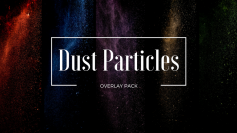
Dust Particles
The Dust Particles overlay pack will give you the ability to add atmosphere to your composites To use, place in your composite. Change the blending mode to ‘Screen’. This will drop out…
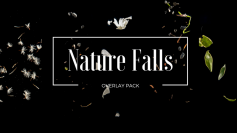
Nature Falls
The Nature Falls overlay pack will give you the ability to add atmosphere and natural elements to your composites To use, place in your composite. Change the blending mode to ‘Screen’.…